Case Study
BandMate
This project was created during the Product Design Bootcamp at Digitale Leute School
1. Research
Every band has one person who books the rehearsal room, chases the guitarist about the setlist, and reminds everyone that the demo was due last week.
Bands already have tools. WhatsApp, Google Calendar and Google Drive are all in daily use. What none of these create is accountability.
Tasks get mentioned, then buried under memes and voice messages, and responsibility quietly defaults back to one person.
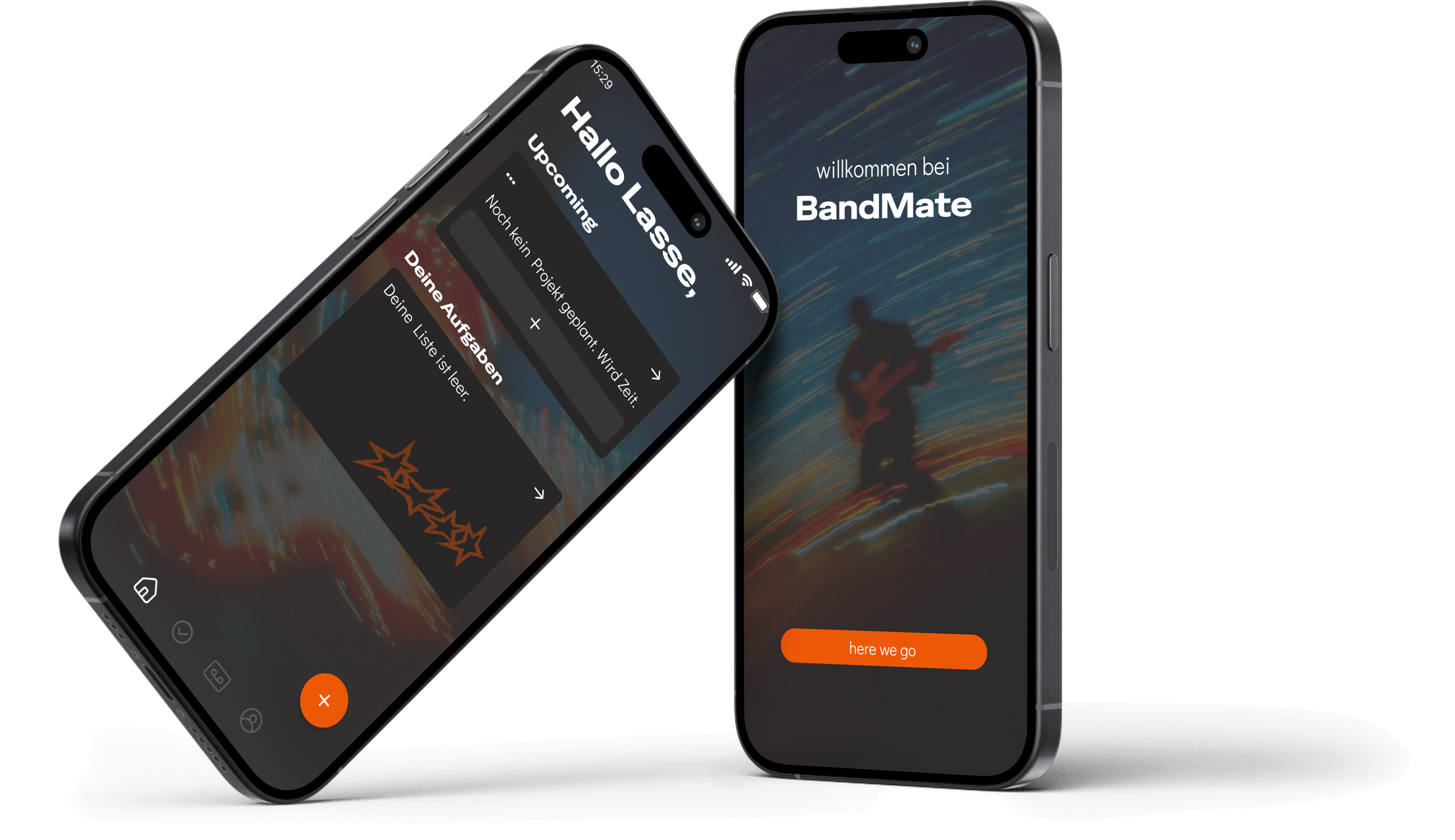
BandMate is a coordination tool for independent bands that makes ownership visible. It hands accountability back to the band.
The design challenge wasn't building a task manager. It was building one that feels supportive rather than controlling, so the whole band adopts it.
Understanding the users
To understand how bands coordinate, I ran group interviews with 5 bands (2 to 5 musicians each) and a survey with 27 independent musicians. I also brought five years of my own experience playing in an indie band, which meant I knew the problem firsthand and had to be careful not to design only for myself.
Across all five bands, the same pattern showed up. Plans were made in the group chat and then quietly lost. Messages got seen, skimmed, and forgotten. Nobody felt responsible for a task addressed to everyone, so responsibility defaulted to whoever cared most.
"Ist einfach im WhatsApp-Verlauf untergegangen, ohne sichtlichen Grund."
("It got lost in a WhatsApp thread, for no apparent reason.")
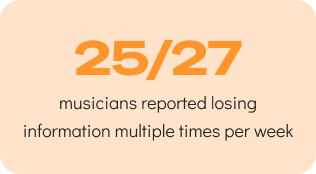
The quantitative research backed this up: 25 of 27 musicians reported losing information multiple times per week.
Lasse, the accidental manager
Lasse didn't apply for the job of band manager. He booked the first rehearsal room years ago, and somehow he's still the one chasing everyone about setlists, deadlines and gear. He doesn't want control. He wants to stop being the only one who notices when things don't get done.
Jonas, the reluctant user
Jonas, the bassist, isn't lazy. But a task mentioned in the chat on Tuesday doesn't exist for him by Thursday. He's also the reason the band's last attempt at a shared tool failed.
That attempt matters. The bands I interviewed had already tried Discord, Google Drive, TimeTree and Splitwise. Every time, they drifted back to WhatsApp, and the reasons were rarely about features: no storage space on someone's phone, one member with privacy concerns, or plain habit. A single hesitant member was enough to sink the whole tool.
The design tension
This is the problem:
Lasse needs structure, and Jonas will abandon anything that feels like being managed. BandMate only works if it serves both.
A tool that helps the organizer but feels like surveillance to everyone else ends up exactly where other apps did.
The interviews surfaced more than coordination pain. Finances and equipment came up in every band, and the finance problem follows the same shape: one person holds the PayPal account, nobody else knows the balance. I scoped both out of this concept to keep the core mechanism sharp, but the pattern confirmed the thesis. Bands keep concentrating shared things in one person, and the design task is to distribute them again.
2. Ideation
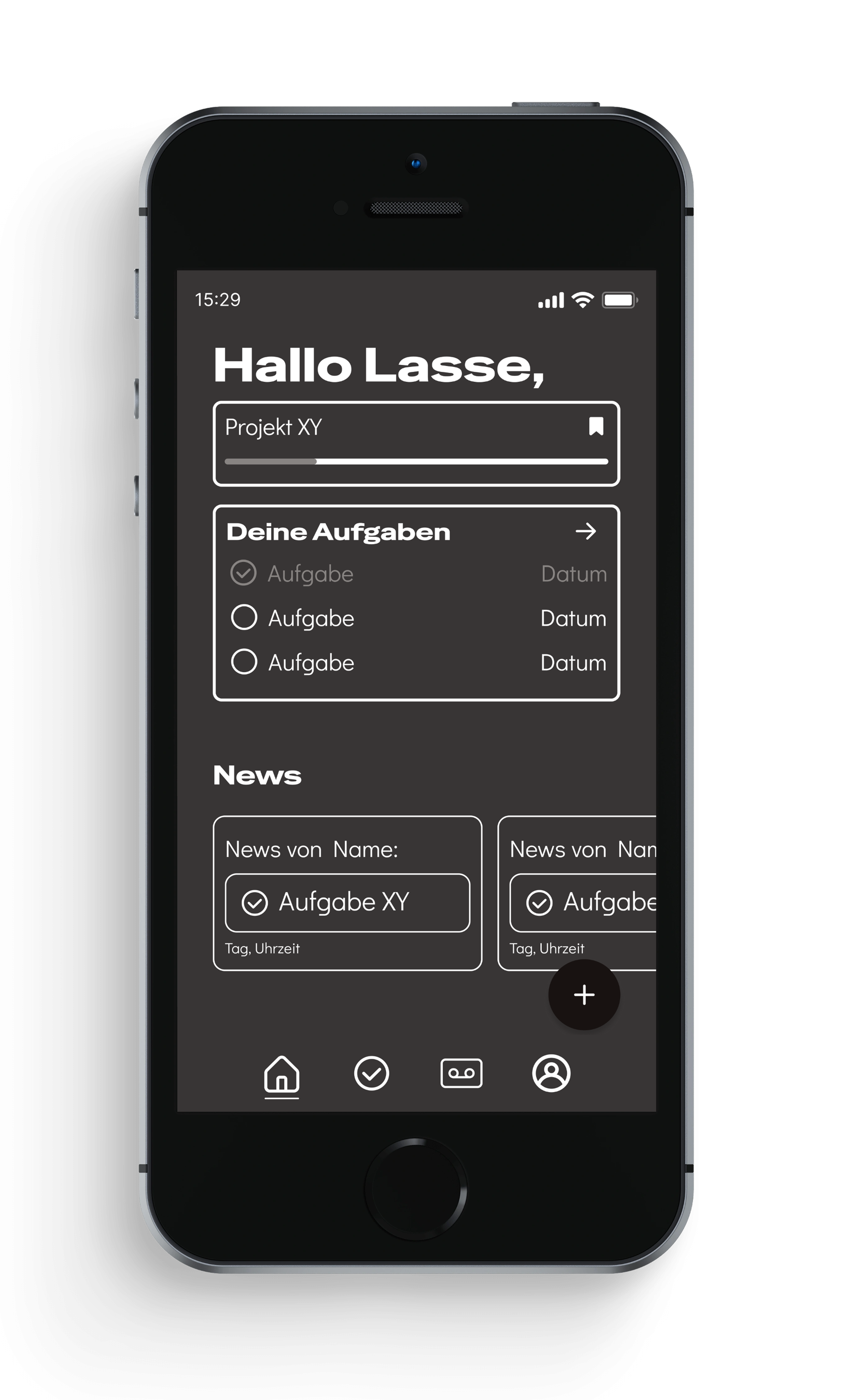
The previous research and insights provided a good base, to build the first lo-fidelity prototype. There had to be an easy way to find all assigned tasks, current projects like gigs or new merch and an account screen.
This plan was translated into five screens: home, tasks, projects, calendar and account.
In order to keep the MVP simple, the calendar did not make the cut, moving on to the mid-fidelity prototype.
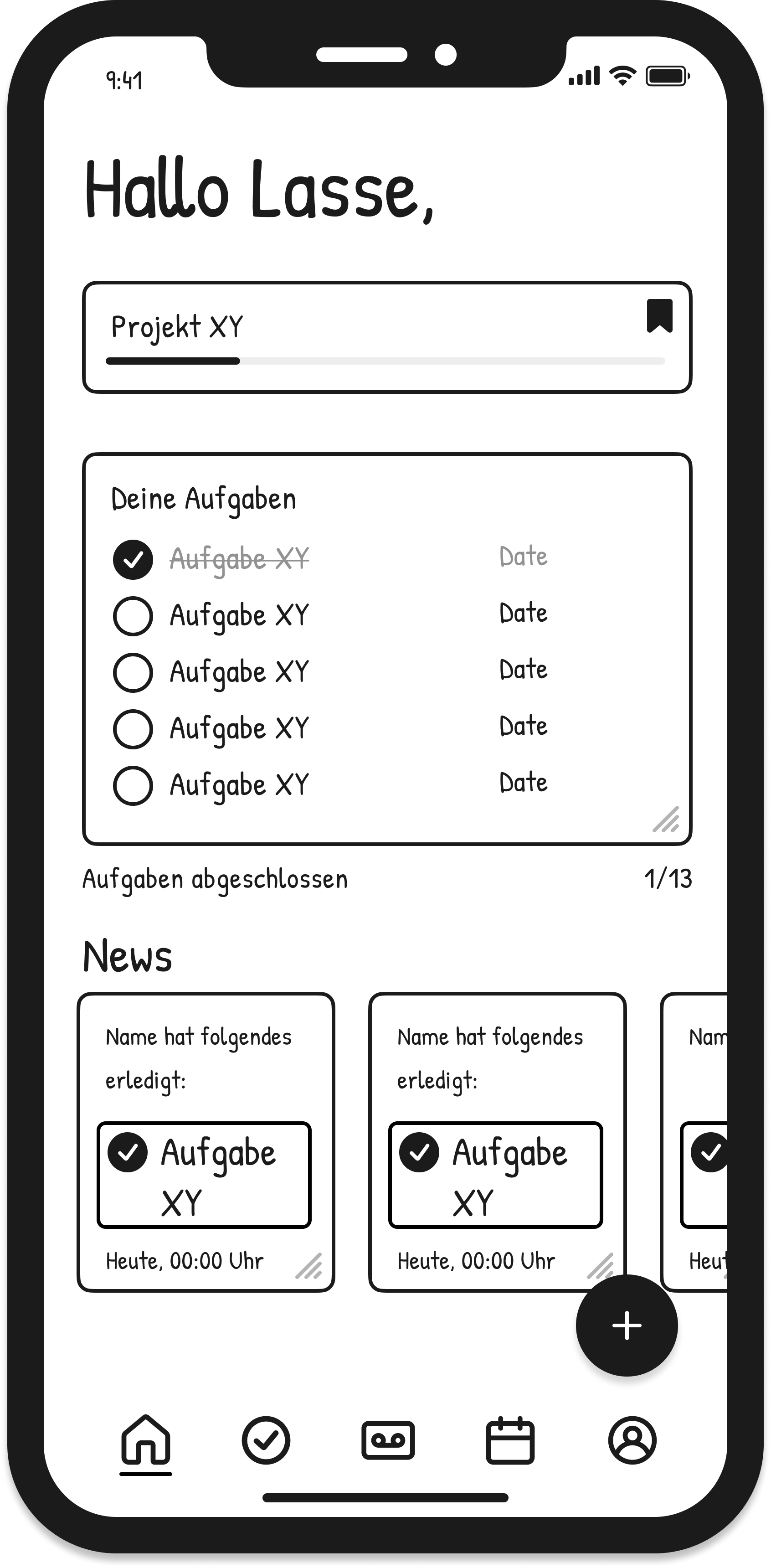
When comparing the lo-fidelity and mid-fidelity prototypes, there aren´t many differences regarding the layout. The main differences are the screen count, type faces and the dark appearance of the mid-fidelity version.
From concept to mid-fi
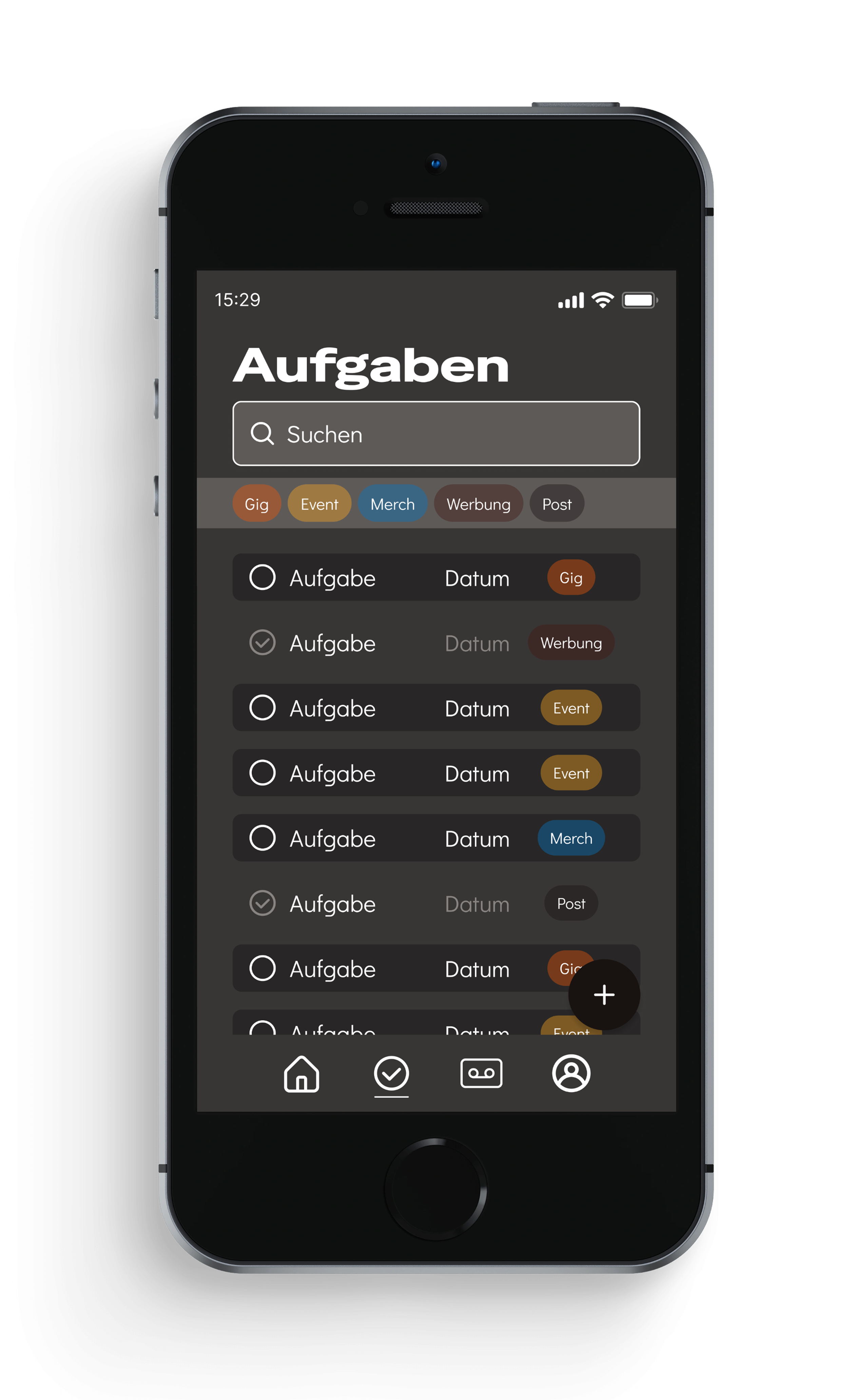
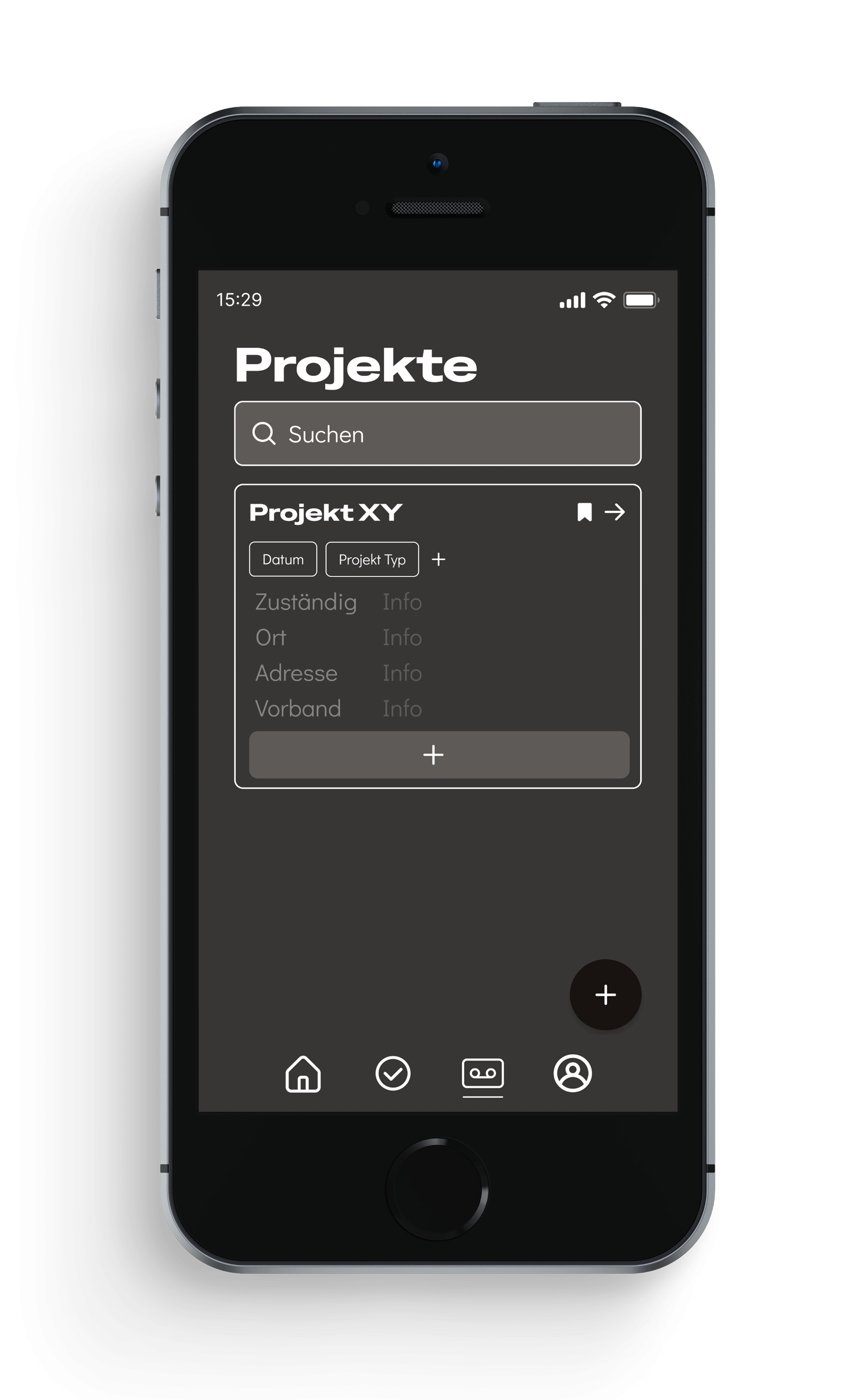
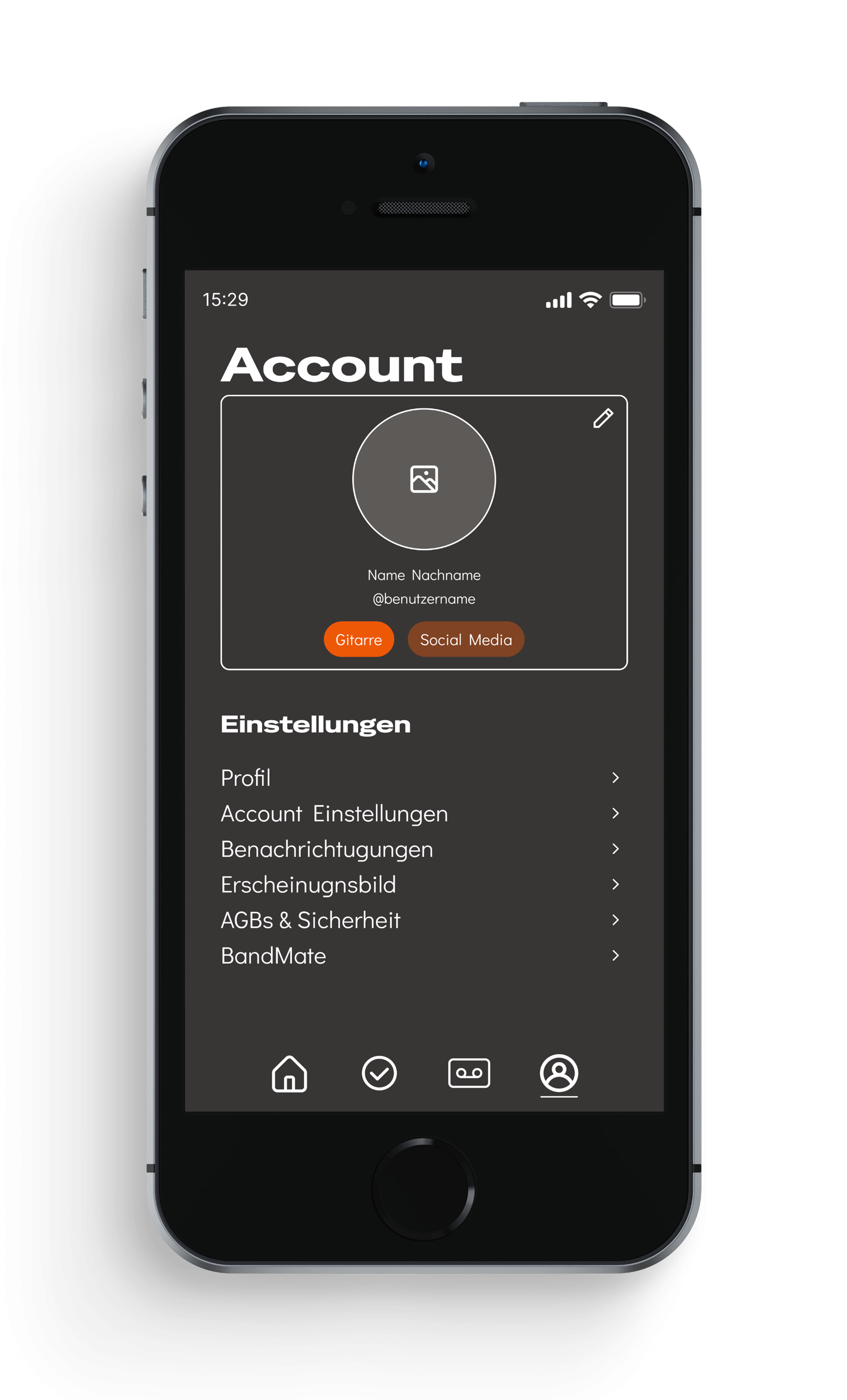
With the direction set, I built a mid-fidelity prototype to test structure and flow before committing to visual design with four core screens: home, tasks, projects and account.
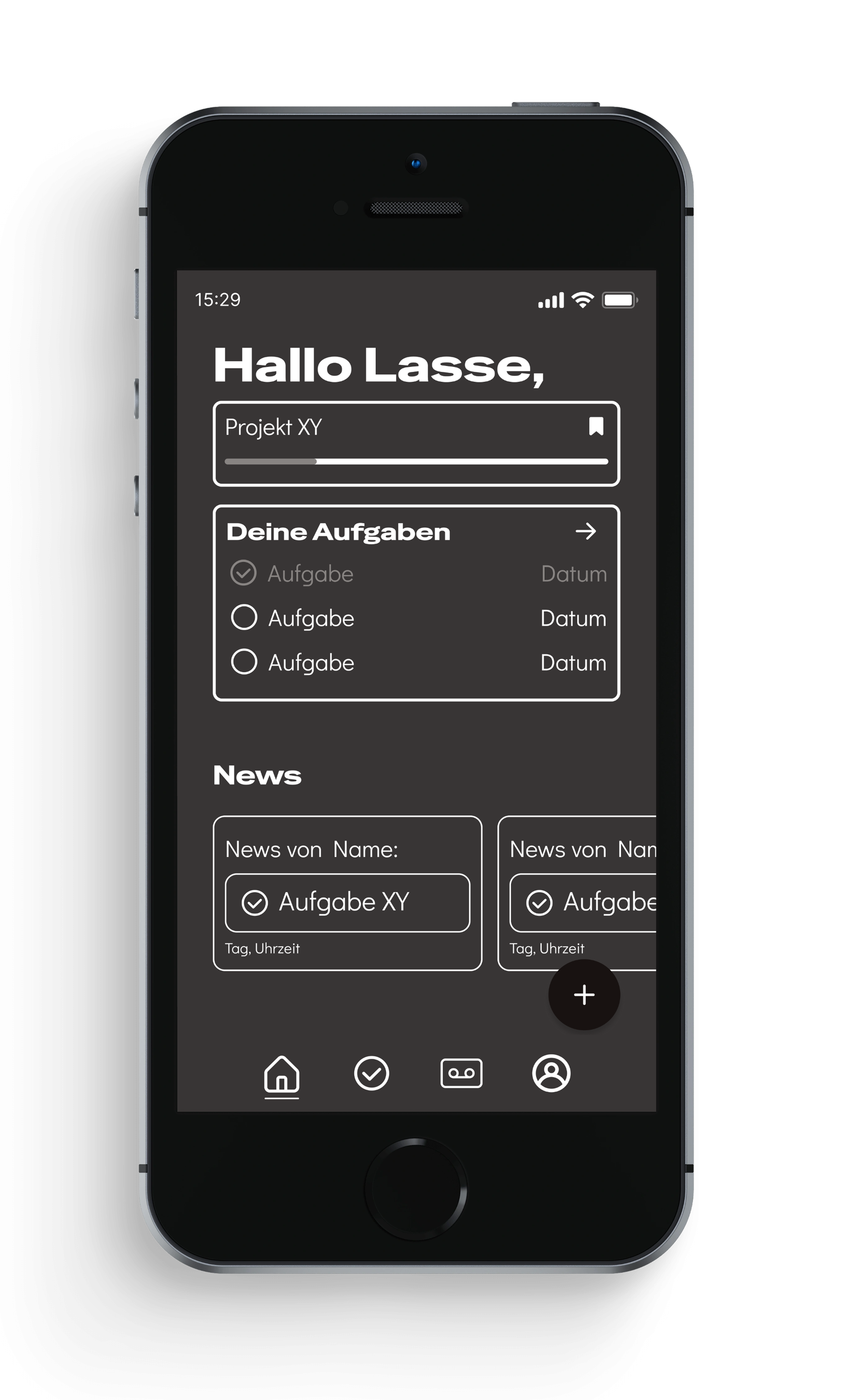
The home screen shows the next project, tasks and what the rest of the band has been doing.
Here on the task screen, the only tasks visible are the ones relevant to the user.
The project screen is a collection of all current projects and subtasks. All band members can access this screen and see each others tasks.
The account screen was keep very basic, with access to the settings, notifications, data security terms and an about BandMate section.
3. Design
Design rationale
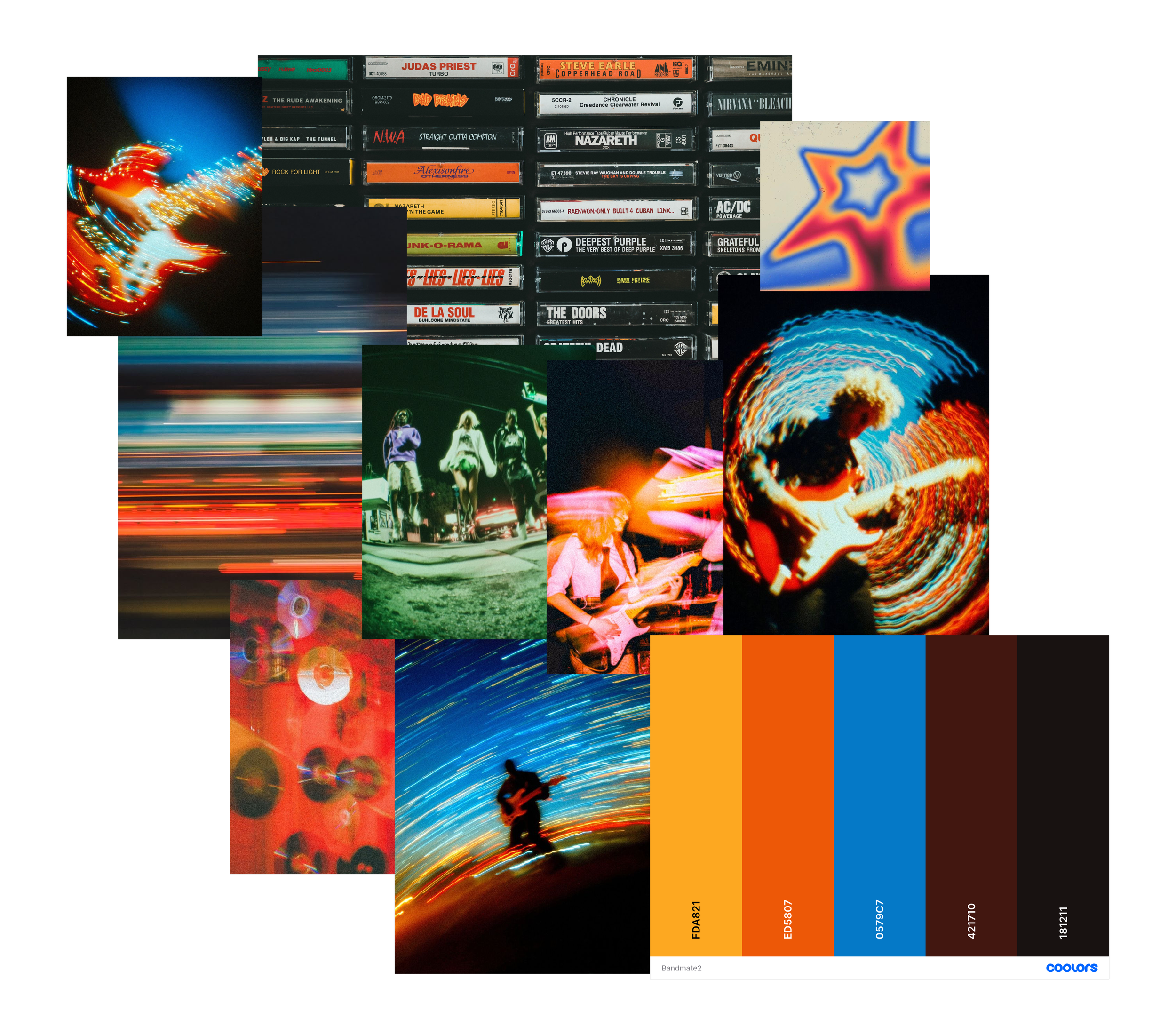
The system is dark, high-contrast, and typographically bold. A dark base tone, orange as the active accent for calls-to-action, and a graduated gray scale for hierarchy and status. Special Gothic Expanded One gives headlines presence, Didact Gothic keeps body text readable on small screens.
The moodboard draws on analog music culture, cassettes, concert lighting, without tipping into nostalgia. It's built to feel like the world these bands already live in, not another productivity tool borrowed from an office.
The emotional goal was commitment without control. Orange signals activity and urgency where it's needed. The dark palette gives the tool seriousness without sterility. Status is never carried by color alone, every open or completed task also has an icon and a label, so the system stays legible under WCAG AA contrast and doesn't rely on color perception. Language throughout is direct and cooperative, no jargon, no passive phrasing.

Typography

Microcopy
The rationale called for language that's direct and cooperative, never corporate. That shows up in the small moments most:
The home screen doesn't greet you with "Welcome back," it says "Hallo Lasse." An empty task list doesn't say "No tasks found," it says "Noch kein Projekt geplant. Wird Zeit." ("No project planned yet. Time for one.")
Small shift, but it's the difference between a tool reporting a status and a tool nudging you like someone who's in the band with you.
UI Key Screens
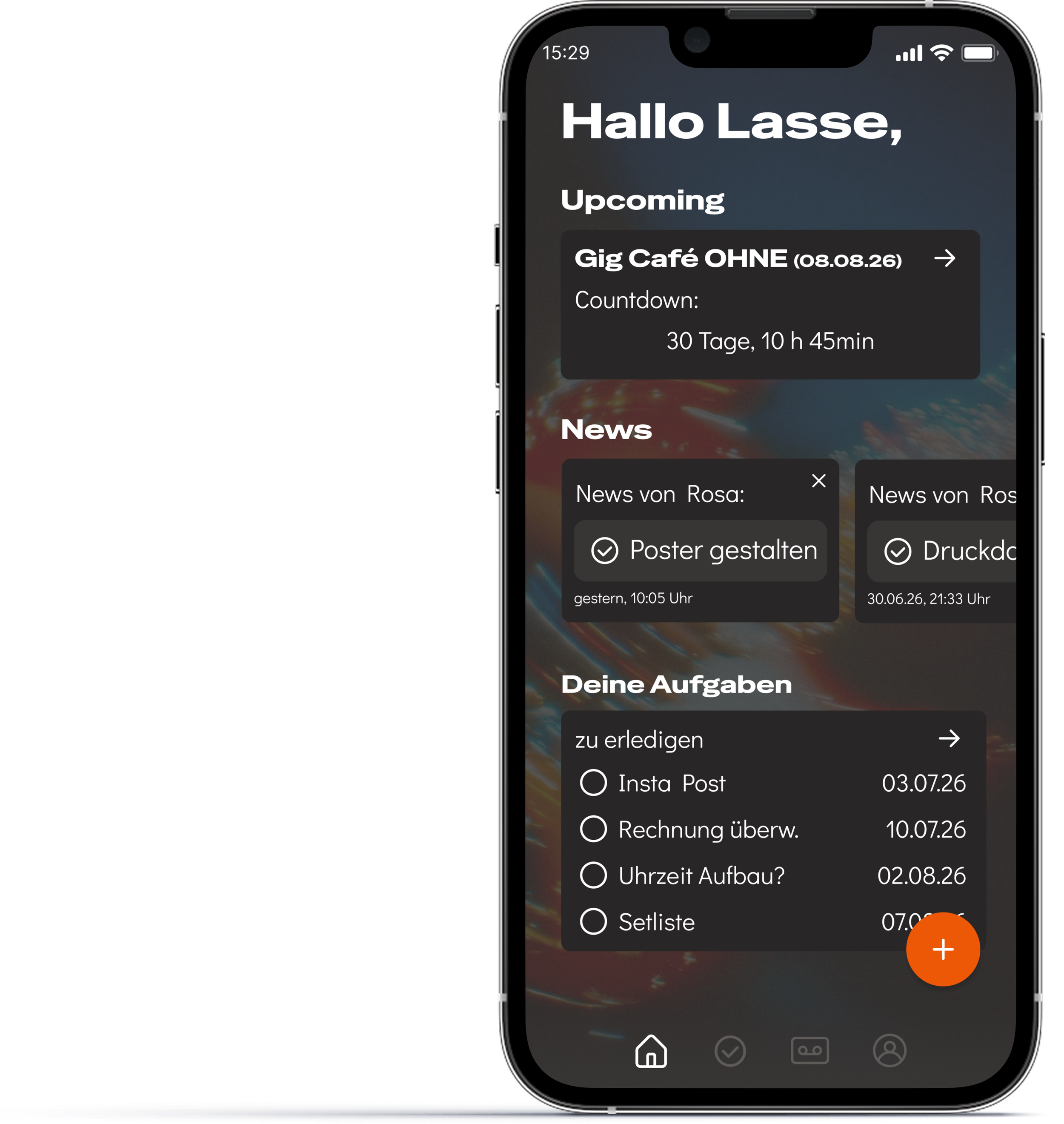
The day starts with what matters most: a countdown to the next gig, a feed of what the band just finished, and a personal list of what's still open. Nothing here needs to be dug out of a chat history, it's just there.
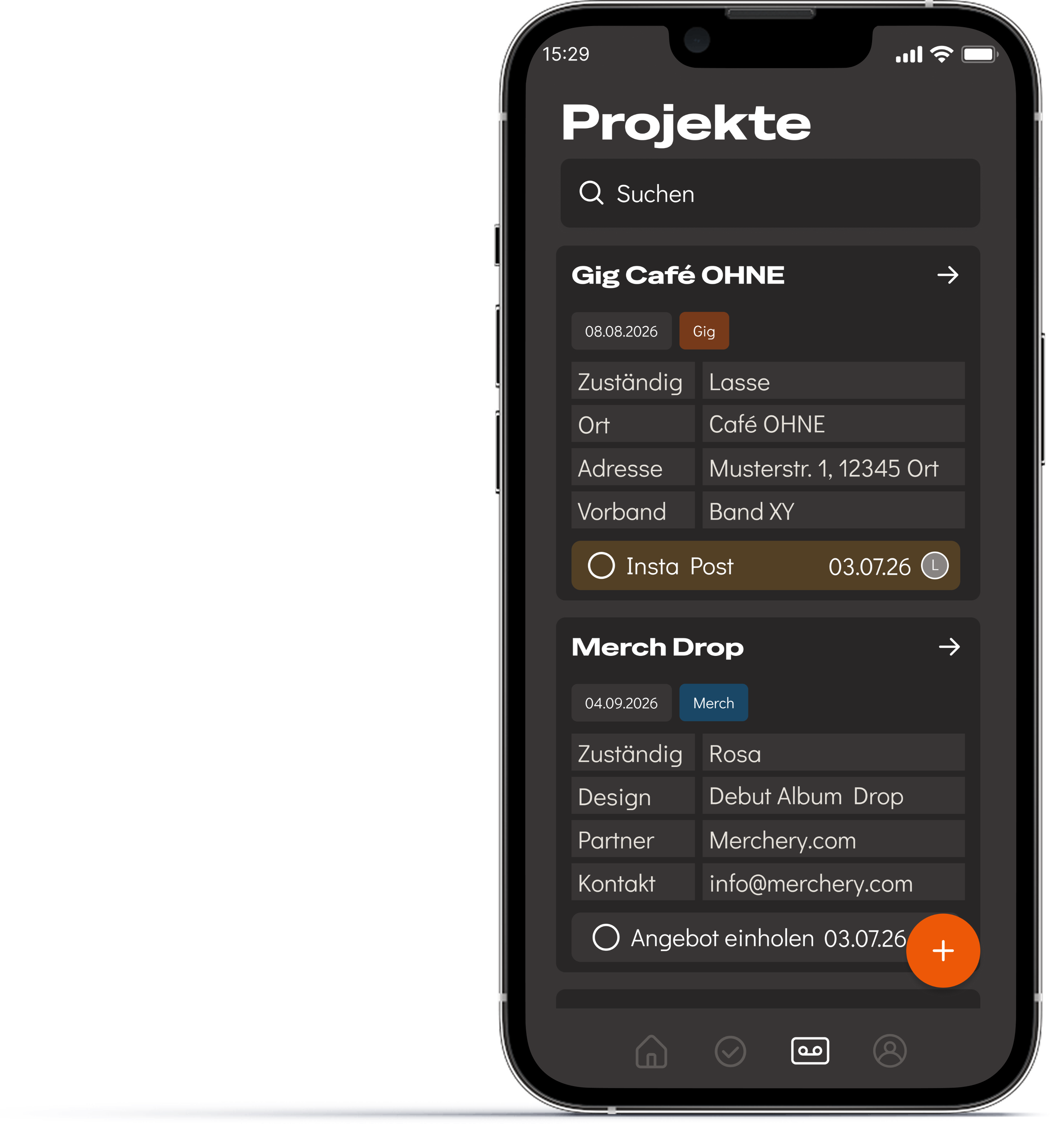
Every gig and project the band is working on, in one searchable list. Each entry shows who's responsible and what's next, so a member can check status without opening a group chat or asking around.
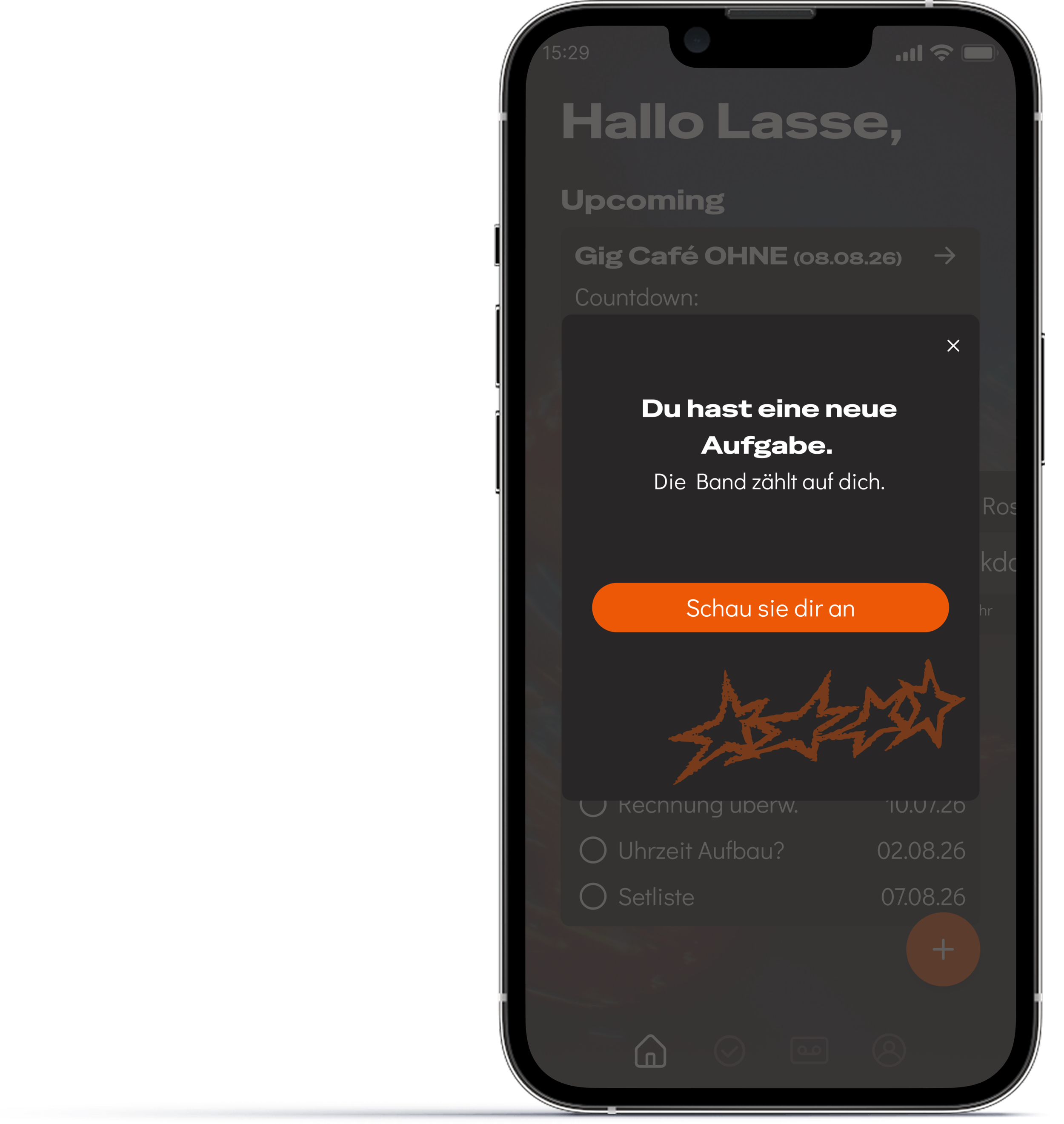
The moment a task gets assigned, the member finds out directly, not through a message that might get buried. No one has to check in to know what's theirs.
4. Testing & Measure
Validated in two in-person prototype sessions with musicians, using a think-aloud protocol. Both completed the task without help. Both also mentioned, without being asked, that seeing who had completed which task and who hadn't mattered to them.
That's the core thesis of BandMate, confirmed by someone who didn't know what I was testing for. The main friction was navigation clarity before the first full click-through and touch targets that were too small. Both fed directly into later UI decisions.
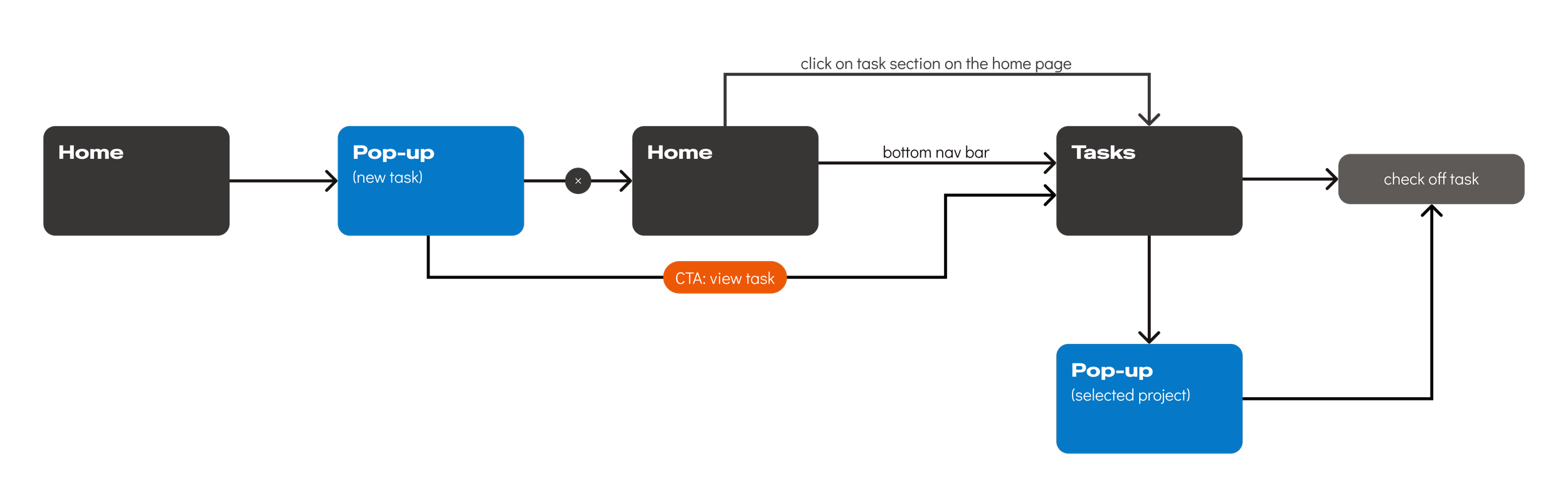
Completion-flow testing
User Flow: Creating and assigning tasks
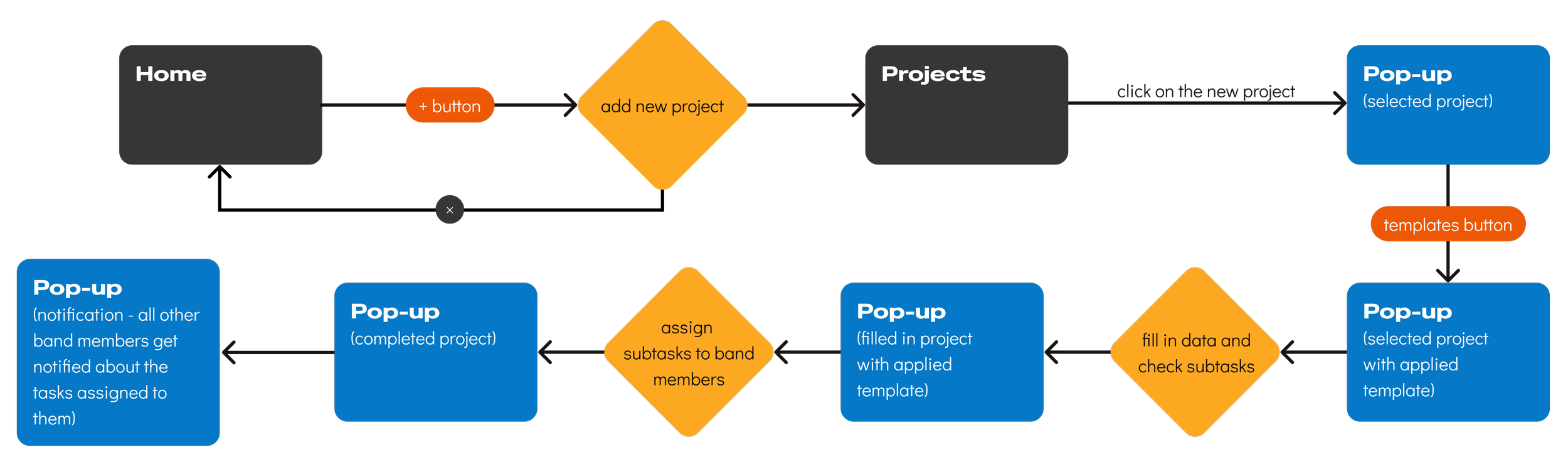
The creating and assigning tasks flow matters most to the "Lasse" persona, the organizer setting things up. I prioritized testing time on the completion flow instead, since that's where the harder adoption problem lives: getting reluctant members to actually use what Lasse built.
This flow hasn't been tested with users yet, but it's a clear next step before development continues.
Ownership, made visible
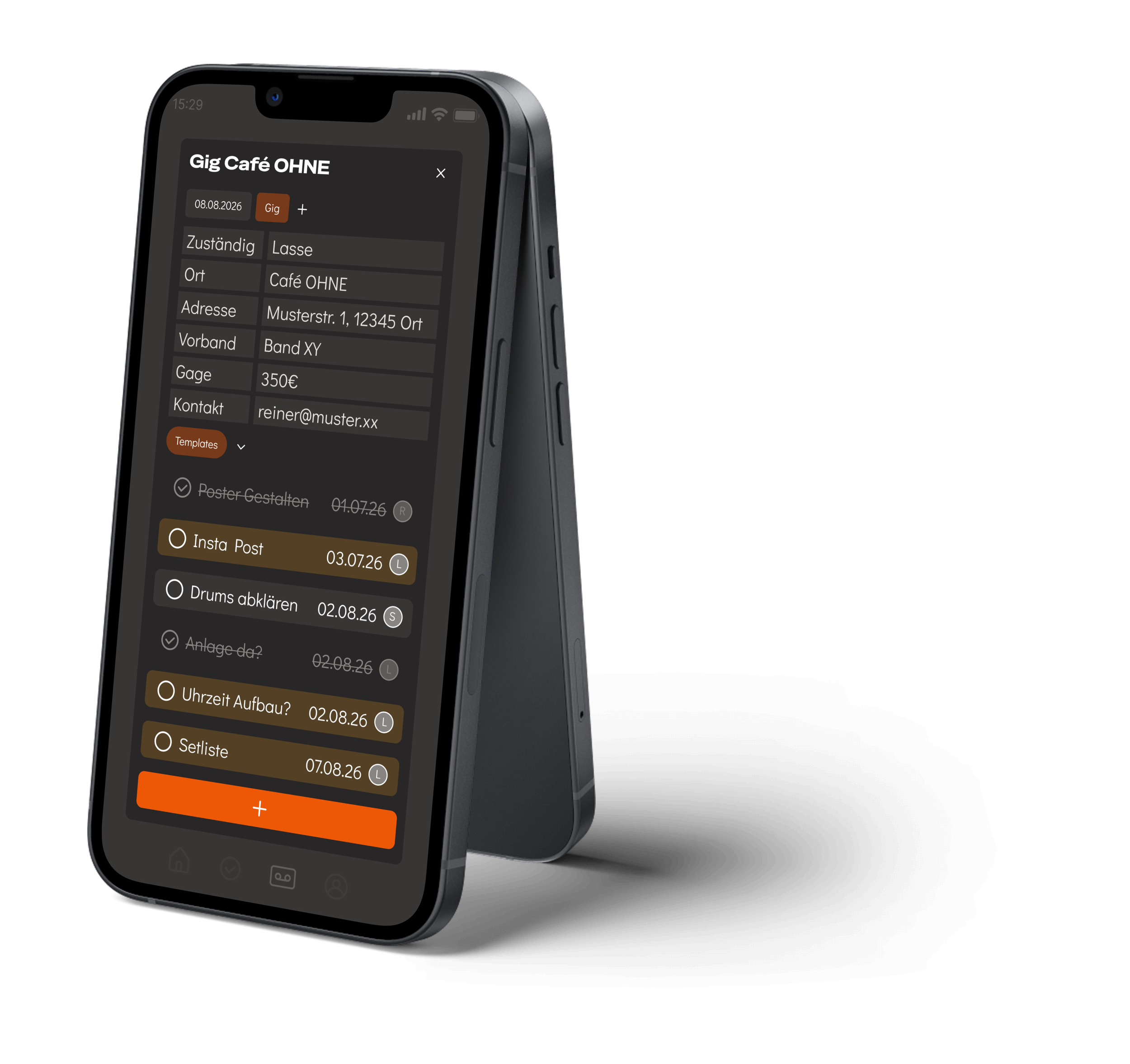
A member's own tasks are highlighted. Everyone else's stay neutral. That single color decision came directly out of testing, where color-blind task assignments were the most confusing part of the mid-fi prototype.
Status is never carried by color alone either. Every completed task gets a checkmark and a strikethrough, so the system stays readable under WCAG AA contrast and works regardless of color vision. This is the design tension from earlier, solved in one screen.
Lasse sees exactly what's assigned and what's done. Everyone else sees their own responsibilities clearly.
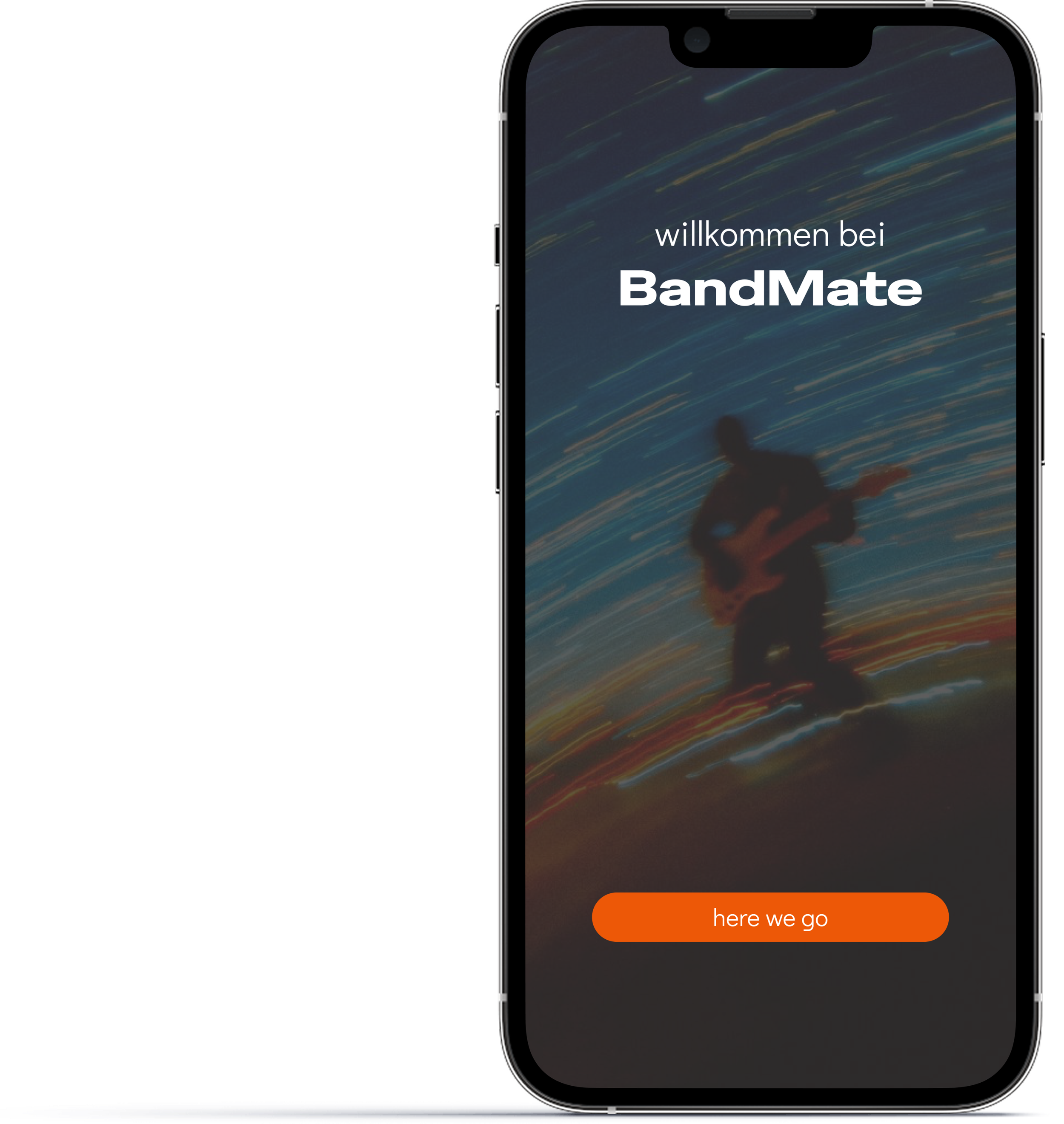
Onboarding tutorial
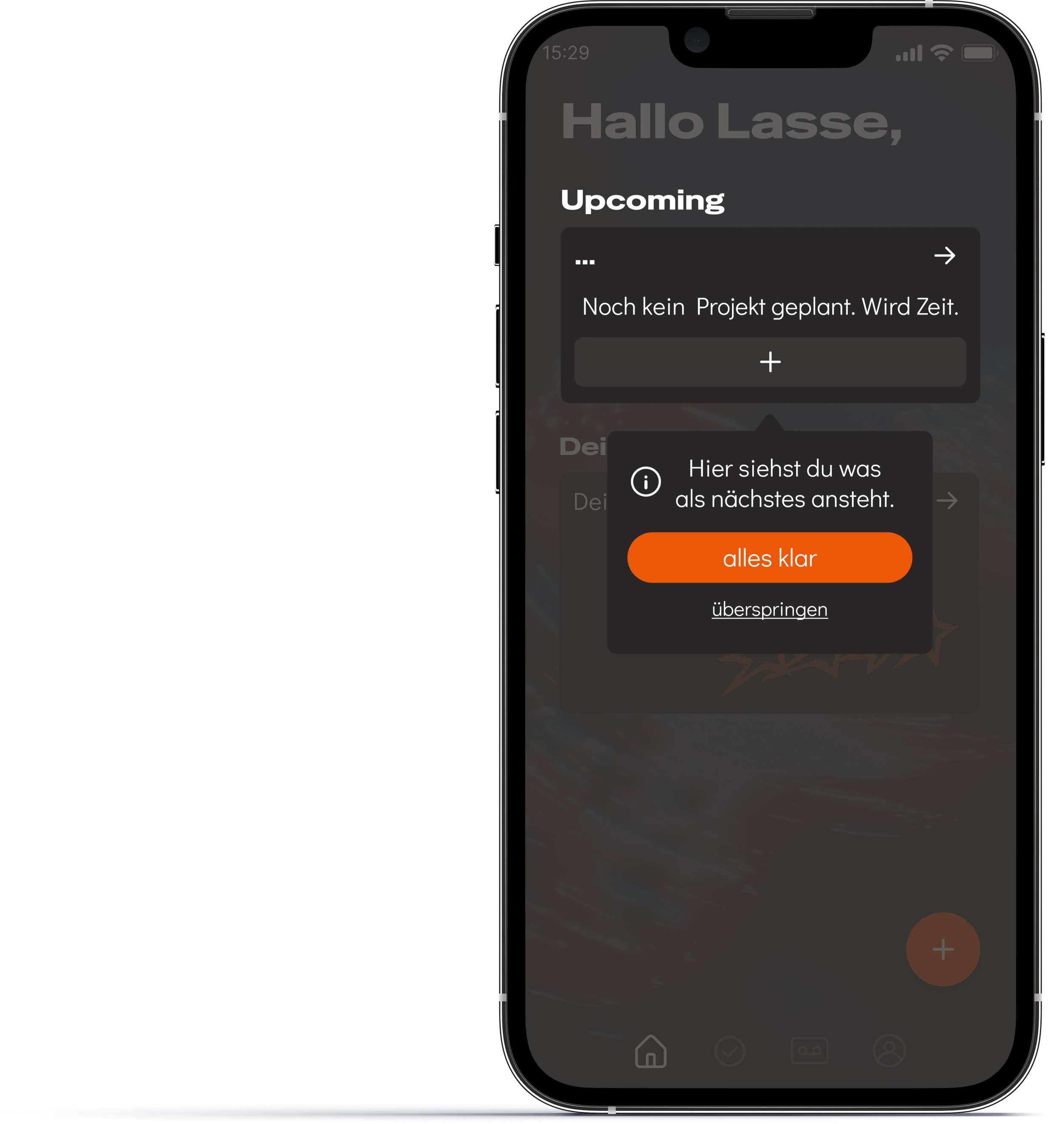
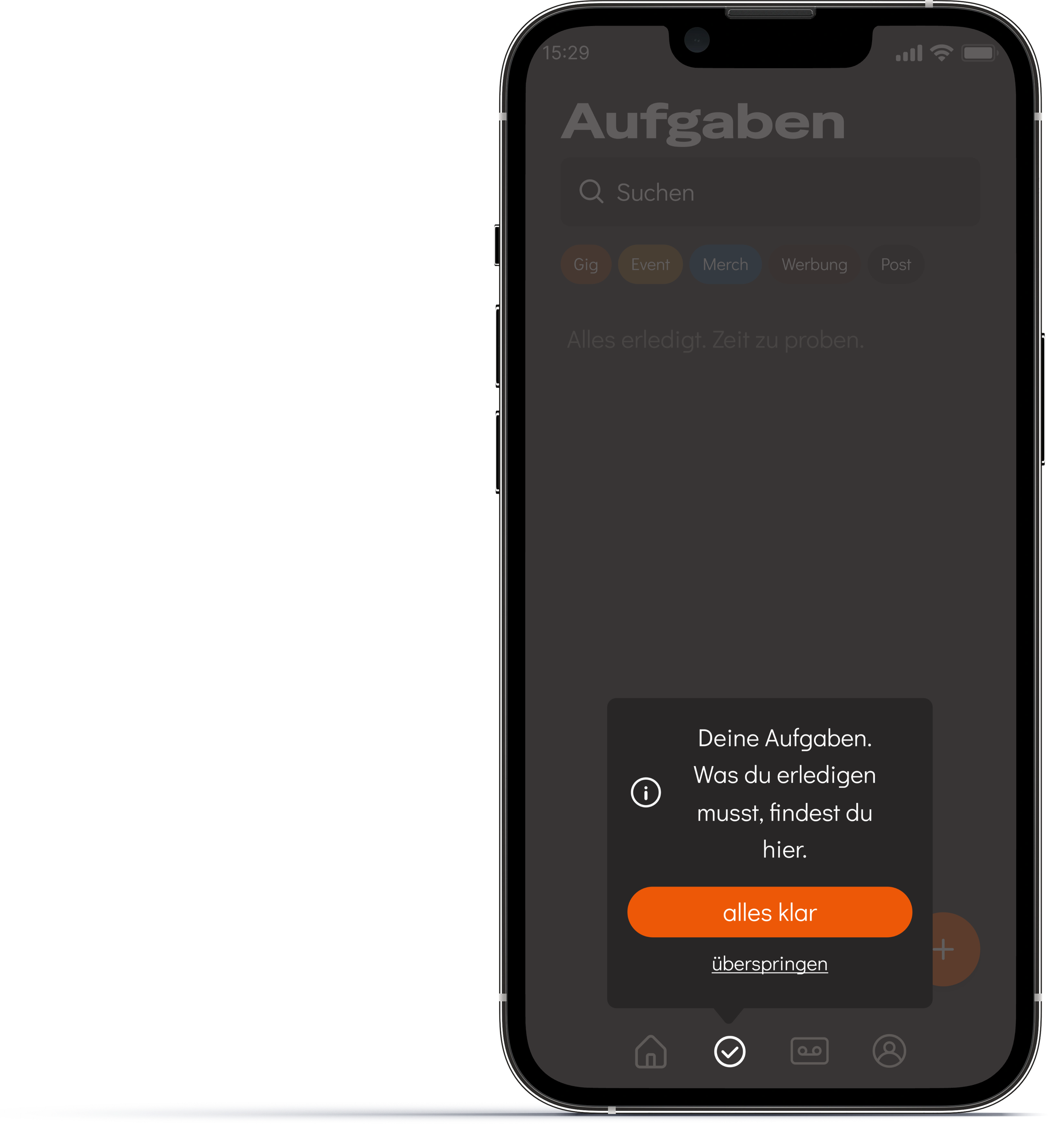
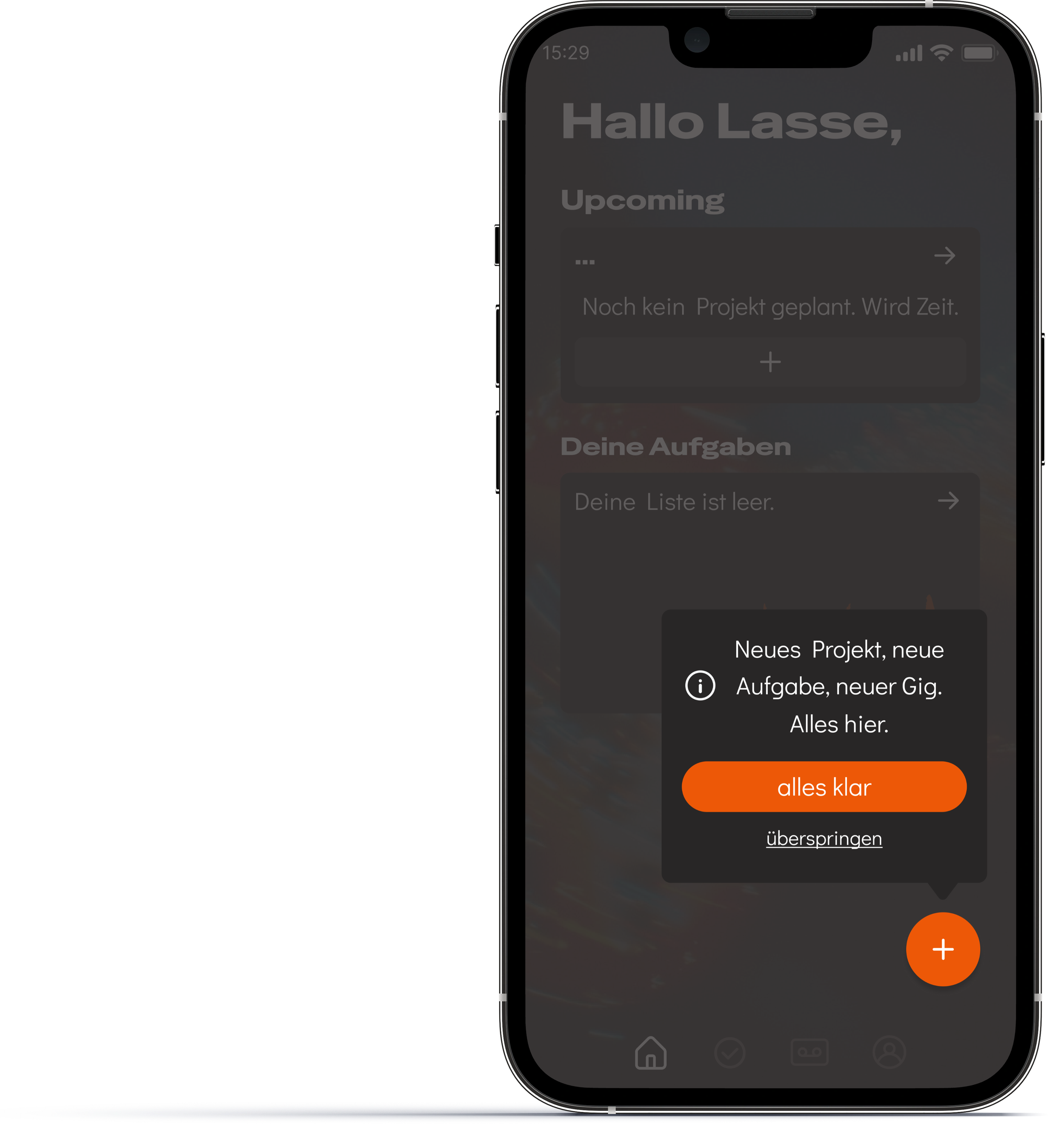
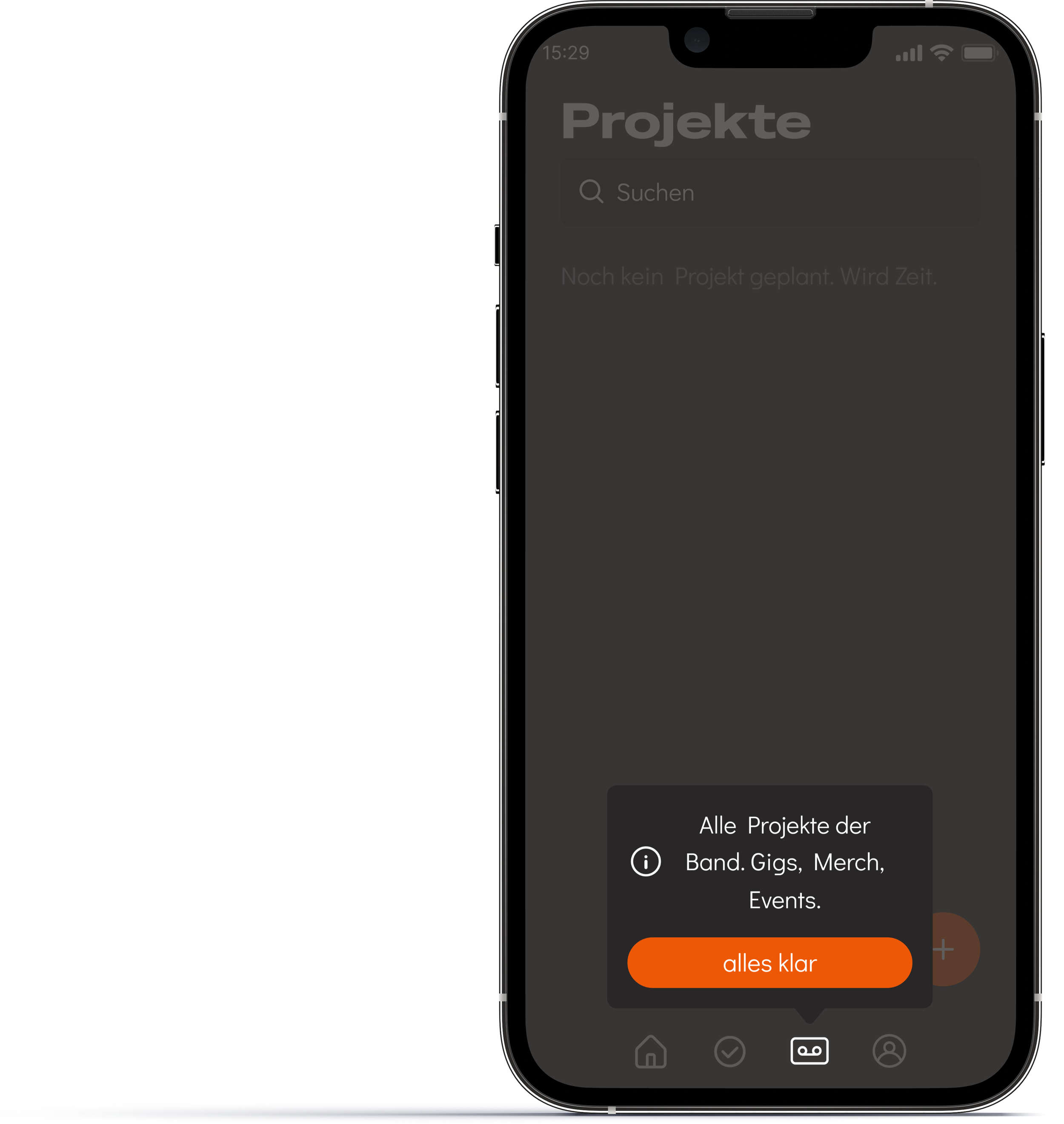
While testing it became apparent that a short onboarding tutorial would help with the initial orientation.
Both participants clicked through the prototype aimlessly, before they were able to navigate intuitively. To balance this out a tutorial was added. It shows up after logging in and consists of 4 simple pop-ups, highlighting the most important features. It can be skipped at any step to feel less intrusive.
Credits
This project was created during the Product Design Bootcamp at Digitale Leute School.
My role:
Methods:
Scope:
Date:
Product Designer, UX Researcher, UI Designer, Copywriter
End-to-end product design, research, strategy, UX, UI
Mobile app concept, 4 months, solo project
08.04.2026-28.07.2026